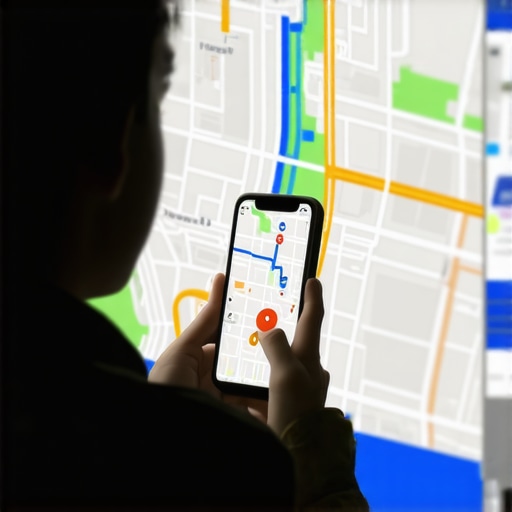
The Map Embed Mistake Slowing Down Your Local Ranking Progress
In the high-stakes world of local search, businesses often find themselves plateauing. You have gathered the reviews, optimized your descriptions, and built the citations, yet your google business profile seo remains stagnant. Many business owners and marketing agencies assume that as long as a Google Map is present on their website, they have “checked the box” for location signals. However, after two years of resolving complex visibility issues for contractors and local enterprises, I have identified an invisible anchor dragging down performance: the technical and strategic mishandling of map embeds.
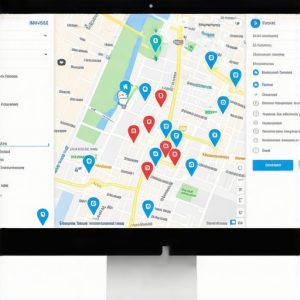
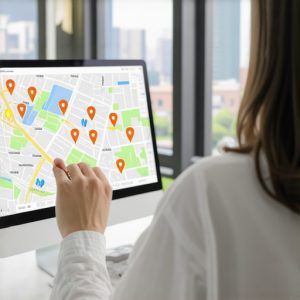
A map embed is not just a decorative element or a convenience for users; it is a critical bridge between your digital home (your website) and your Google Business Profile (GBP) entity. When done incorrectly, it creates “signal noise” that confuses search engines and degrades user experience through performance lag. To truly improve local search presence, you must move beyond the “set it and forget it” mentality. In this guide, we will dissect the technical errors that hinder your progress and provide a roadmap to a high-performance map strategy. If you’ve noticed a dip in your visibility, you might want to read our analysis on The Ultimate Guide to Fixing Google Maps Ranking Drop and Improving Visibility to see if these issues align with your current metrics.
II. The “Footer Trap”: Why Global Embeds Can Backfire
One of the most common debates in the Local Search Forum and among SEO professionals is the placement of the map embed. Traditionally, the “Footer Map” was considered a best practice. The logic was simple: show your location on every page to maximize local relevance. However, in the modern era of Core Web Vitals and mobile-first indexing, this “Footer Trap” is often a primary reason businesses fail to rank google business profile effectively.
The technical reality is that every time a page loads an embedded Google Map, it initiates a series of heavy JavaScript requests. If your map is in the footer, it loads on every single page of your site – your blog posts, your privacy policy, and your service pages. A recent finding on Reddit highlighted a user who had 15 embedded maps across various widgets, causing massive latency. This bloat kills your PageSpeed scores. Since Google uses site speed as a ranking signal, a slow-loading map can actually counteract the positive local signals it was intended to provide.
Furthermore, global embeds can create “signal noise.” If you are a multi-location business or a service-area business (SAB) with specific landing pages, having the same map in the footer of every page can dilute the geographic focus of your specific service pages. Instead of a blanket approach, expert local seo tools suggest a more surgical implementation. Utilizing a google maps ranking service often involves moving away from global footer embeds in favor of high-impact, optimized embeds on dedicated “Contact” and “Location” pages.
III. The CID vs. Address Mistake: Linking the Entity
The most technical – and most overlooked – mistake involves how the map is sourced. Most business owners simply go to Google Maps, type in their address, and hit “Share > Embed a map.” While this displays a map of your location, it often fails to create a hard-coded link to your specific Google Business Profile entity in the Knowledge Graph.
There is a significant difference between embedding a generic “search result” for an address and embedding the specific CID (Unique Machine ID). When you embed based on an address, Google’s algorithm has to “guess” that the pin represents your specific business. When you embed using your CID or the official Share Link generated from within your GBP dashboard, you are providing an explicit, unambiguous signal. This is a core component of google business profile optimization.
In my philosophy of providing complete local SEO solutions, I view the map embed as a form of “local link building.” By using the CID-based embed, you are essentially creating a high-quality, authoritative backlink from your site directly to your GBP entity. This strengthens the “trust” Google has in your location data. If you have noticed that your competitors are outranking you despite having fewer reviews, it might be because their technical entity connection is stronger. For more on why listings lose their prominence, check out Why Your Business Listing Suddenly Lost Its 3-Pack Spot.
IV. Performance Killers: The 2026 “Trust Squeeze” & Latency
As we look toward the future of local search, the “Trust Squeeze” is becoming a reality. Google is increasingly using AI-driven radius filters to determine which businesses are “worthy” of the 3-pack. By 2026, the algorithm is expected to prioritize “Semantic Sync” – the perfect alignment of website technical health, entity data, and user behavior signals. If your map embed is heavy and unoptimized, it triggers “AI Bounce” signals. Users on mobile devices won’t wait three seconds for a map to render; they will bounce back to the search results, signaling to Google that your site is not a helpful destination.
To rank higher on google maps in this evolving landscape, you must solve the latency issue. The “Fix” is two-fold:
- Lazy Loading: Ensure your map only loads when a user scrolls down to the section where it is located. This prevents the map from slowing down the initial page load.
- Static Map Overlays: For the highest performance, use a static image of your map that looks like an embed. When the user clicks it, it either opens the live map in a new tab or loads the interactive map via JavaScript. This preserves your PageSpeed while maintaining the local signal.
Using advanced google maps seo tools can help you monitor how your map embed affects your overall performance metrics. Without these optimizations, you are essentially fighting the algorithm with one hand tied behind your back.
V. The “Multi-Location” Mess
For businesses with multiple branches, the map embed strategy becomes even more complex. A common error is embedding the corporate headquarters’ map on every city-specific landing page. This is a disaster for local search optimization. If you have a page dedicated to “Plumbing Services in Dallas,” but the map embed points to your main office in Houston, you are sending conflicting geographic signals to Google.
Each “City Landing Page” must have a unique embed pointing to the specific GBP for that branch. This creates a localized “silo” that tells Google, “This page is the authoritative source for this specific location.” This is particularly important for service-area businesses that may not have a physical storefront but still maintain multiple GBP listings. Failing to do this can lead to “Category Dilution,” where Google isn’t sure which listing to show for a specific query. Learn more about managing these complexities in our guide on Rescue Maps Ranking: How to Fix 2026 Category Dilution.
Furthermore, ensure that the NAP (Name, Address, Phone) data listed on the city page exactly matches the data in the map embed. Any discrepancy, even a minor one like “St.” vs. “Street,” can weaken the local signal. For contractors, this is often the difference between being #1 and being #10 in the map pack. If you’re in the trades, I highly recommend reviewing our specialized Local SEO for Plumbers: A Guide to Dominating Your Service Area for more niche-specific tips.
VI. Step-by-Step: The Perfect Map Embed Strategy
To ensure your website is working for your google maps seo strategy rather than against it, follow this technical checklist:
- Source the Correct Link: Do not just search your address. Go to your Google Business Profile manager, click “Share Profile,” and use that specific URL, or use a tool to find your CID.
- Implement LocalBusiness Schema: Every map embed should be accompanied by LocalBusiness JSON-LD Schema markup. This code tells search engines exactly what the map represents in a language they understand perfectly.
- NAP Consistency: Place your business Name, Address, and Phone number in plain text right next to or directly below the map. This reinforces the visual signal with crawlable text.
- Optimize for Speed: Use the
loading="lazy"attribute in your iframe code. This is a simple HTML fix that can significantly improve your mobile performance scores. - Audit Regularly: Use a google business profile audit tool to check for signal interference. Sometimes, third-party plugins or themes can “break” the way maps are rendered, leading to 404 errors or broken scripts that you might not notice.
By following these steps, you move your map embed from a potential liability to a powerful asset in your google maps ranking tips arsenal. This technical precision is what separates the “local experts” from the amateurs.
VII. Conclusion & CTA
Local SEO is a game of inches. While a single map embed error might not completely de-index your site, the cumulative effect of poor latency, weak entity signals, and inconsistent data will undoubtedly slow your progress. Fixing your map embed is a low-hanging fruit that can provide an immediate boost to your technical SEO health and help you rank google business profile higher than the competition.
Don’t let technical debt hold your business back. Audit your website today and ensure your map strategy is aligned with Google’s 2026 standards. If you need assistance tracking your rankings or identifying deeper technical issues, use SEO Viper Tools to gain the insights you need to dominate the local map pack. Ready to take your local presence to the next level? Contact Us today for a comprehensive strategy session.