
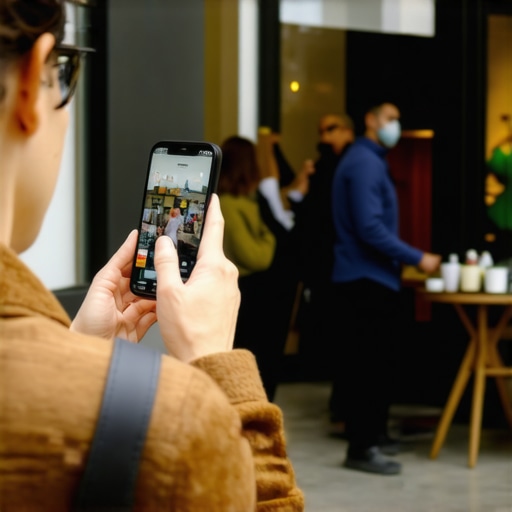
The One Photo Habit That Doubles Your Google Business Profile Engagement
I. Introduction: The Invisible Barrier to Local Leads
You’ve done everything by the book. You claimed your listing, optimized your primary category, and gathered a steady stream of five-star reviews. Yet, when you look at your geo-grid tracking, your business is a sea of yellow and red. You are stuck on page 2 or 3 of the Local Pack, while competitors with fewer reviews and worse websites are hogging the top spots. This is the invisible barrier that haunts local service providers – from plumbers and HVAC techs to personal injury lawyers and dentists.
In 2026, the local search landscape has shifted. We are no longer in the era of “set and forget” optimization. Google’s algorithm has evolved to prioritize what I call “Visual Freshness.” This isn’t just a buzzword; it is a core ranking signal that tells the algorithm your business is active, legitimate, and physically present at the address you’ve claimed. If you aren’t regularly updating your visual content, you are essentially signaling to Google that your business might be dormant.
Many business owners find that why your local profile is stuck on page 2 is directly related to a lack of recent activity signals. Google’s latest core updates have placed a premium on real-time data. Profiles that sit static for months are being deprioritized in favor of those that provide a continuous stream of fresh, user-centric content. The “One Habit” I’m about to share is the most underutilized lever in Local SEO today, and it’s the key to breaking through that invisible barrier.
II. The “One Habit” Defined: Weekly Authentic Uploads
The secret isn’t a complex backlinking strategy or a secret keyword hack. The habit is simple: **consistent, weekly uploads of authentic, geo-synced imagery.** Specifically, you should be aiming for 3 to 5 new photos every single week. This frequency triggers a “freshness” signal that most of your competitors are completely ignoring.
Why does this work so effectively? It’s designed to defeat the “Trust Squeeze” filter. In an era of AI-generated spam and ghost offices, Google is desperate to verify that a business is actually operating where it says it is. When you upload a photo of a technician on a job site or a new piece of equipment in your office, you are providing proof of life. This regularity proves the business is still operating at the stated location, which is a massive trust signal for the algorithm.
Contrast this with the “Set and Forget” approach used by 90% of local businesses. They upload ten professional photos when they first create the profile and never touch it again. Over time, those photos become stale. Google notices the lack of engagement and the lack of new data, and your rankings begin to drift. By adopting a weekly habit, you are staying ahead of the decay curve.
The data backs this up. According to research from BrightLocal and Search Endurance, businesses with more than 100 photos on their profile receive 520% more directions requests than the average business. Furthermore, profiles with more than 100 images receive 2,717% more requests for directions than those with fewer images. The correlation between photo volume and lead generation is undeniable. If you want to identify the 4 signs your map listing is being filtered, look first at your photo upload frequency.
III. The Anatomy of a High-Engagement Photo
Not all photos are created equal. In fact, the wrong kind of photos can actually hurt your google business profile optimization. The era of polished, high-end stock photography is over. Users – and Google’s AI – can spot a stock photo from a mile away. Stock photos provide zero “proof of life” and often lead to lower conversion rates because they feel clinical and untrustworthy.
Authenticity over Aesthetics
Your customers want to see the “real” you. They want to see the truck that will be pulling into their driveway. They want to see the faces of the staff members they will be talking to. Authentic, “raw” photos taken on a smartphone often outperform professional photography in terms of engagement. These photos feel more relatable and honest, which is the currency of local business.
Technical Optimization and Computer Vision
While Google often strips EXIF metadata (like GPS coordinates) upon upload to protect privacy, their internal AI, known as the Vision API, is incredibly sophisticated. It “reads” the content of the image to verify relevance. If you are a plumber, Google’s AI is looking for pipes, wrenches, vans, and water heaters. If you upload a generic photo of a sunset, it does nothing for your ranking. If you upload a photo of a specific plumbing repair, the AI categorizes that image as “service-related,” which reinforces your authority in that niche.
The Three Essential Categories
- Exterior Photos: These help customers find your physical location. Take photos from different angles and at different times of the day. This helps Google verify your storefront.
- Work-in-Progress: This is the most powerful category for service-area businesses (SABs). Take photos of the job site, the tools being used, and the “before and after” results. This is undeniable proof of service.
- Team and Staff: Humanize your brand. Photos of your team in uniform, at a morning meeting, or interacting with customers build immense trust.
If you are struggling with visibility, you might need to look into the 3 specific photos that can fix a falling map ranking to target specific algorithmic weaknesses.
IV. How Photos Influence the 2026 “Trust Squeeze” Filter
In 2026, Google introduced what SEO specialists call the “Map Core Filter,” or the “Trust Squeeze.” This update was designed to aggressively target “lead gen” sites and fake addresses. Google now uses computer vision as a primary verification tool. If your business is listed as a “Roofing Contractor” but your photos only show a residential house with no signage or trucks, you are likely to be filtered out of the top results.
Google’s AI (Vision API) can now categorize your business based solely on the objects found in your uploaded photos. This means that every photo you upload is a data point. If your photos consistently show dental equipment, Google becomes more confident in showing your profile for “dentist near me” queries. This is why the “One Habit” is so critical – it provides a constant stream of data points that reinforce your business category.
For service-area businesses that don’t have a physical storefront, photos are even more vital. You must use your photos to “claim” your territory. Uploading photos from different neighborhoods where you work helps Google understand your service area. This is a key part of map ranking fixes for the 2026 ‘Trust Squeeze’ filter. Without these visual cues, Google’s proximity filter might restrict your visibility to a very small radius around your verified address.
V. Step-by-Step: Implementing the Photo Workflow
The biggest hurdle to this habit is time. Most business owners are too busy running their business to think about SEO. However, if you integrate this into your daily operations, it takes less than five minutes a week.
The Mobile Workflow
- Capture: Take a photo at the end of every job. Whether it’s a finished repair, a happy customer (with permission), or just your van parked on the street.
- Direct Upload: Don’t wait until you get back to the office. Use the Google Maps app on your phone to upload the photo directly to your business profile while you are still at the location.
- Captioning: Add a brief, keyword-rich description to the photo. For example: “Emergency water heater repair completed in [Neighborhood Name].” This adds localized context that Google loves.
To ensure this habit is actually working, you need to track your progress. I recommend using local seo tools to monitor how these uploads correlate with ranking shifts on your geo-grid. When you see your “green” circles expanding on the map, it provides the motivation to keep the habit going. Consistency beats intensity every time. One photo a day is significantly better for your SEO than 30 photos uploaded once a month.
If you want to see how your profile stacks up against the competition, consider performing the ultimate geo-grid audit for local service businesses. This will show you exactly where your visibility is lacking and where more localized photos could help you how to bypass the proximity filter in competitive markets.
VI. Troubleshooting: Why Your Photos Might Be Getting Rejected
Sometimes, despite your best efforts, Google might reject your photos. This can be incredibly frustrating, but it usually stems from a few common issues that are easily fixed.
Common Rejection Reasons
- Too Much Text: Google’s “Spam” filter is very sensitive to text overlays. If more than 10% of your image is covered by text (like a phone number or a large logo), it will likely be rejected. Keep images clean and natural.
- Low Resolution: Blurry or pixelated images are viewed as low quality and can be flagged. Ensure you are using a modern smartphone with a clean lens.
- Duplicate Content: If you upload the same photo multiple times, or if you use a photo that appears on many other websites, Google will flag it as duplicate. This is why stock photos are so dangerous.
- AI-Generated Content: Google is becoming increasingly adept at identifying AI-generated imagery. Stick to real photos taken with a real camera.
If you find that your uploads are consistently failing, you might be experiencing a technical glitch. Check out 3 Google Maps repair tactics for the 2026 metadata glitch for a deeper dive into the technical side of photo rejections.
VII. Conclusion & Call to Action
The “One Photo Habit” is the simplest, most cost-effective way to improve your google business profile seo. By committing to 3-5 authentic uploads per week, you are providing the algorithm with a constant stream of trust signals, freshness data, and categorical proof. You are making it easy for Google to choose you over your stagnant competitors.
Remember, in the world of local search, regular photo uploads are one of the clearest signals to Google that a business is active. Don’t let your profile become a digital ghost town. Start your weekly habit today. Take a photo of your next job, your next team meeting, or even your newly organized supply closet. Every pixel counts toward your climb to the top of the map pack.
Don’t let a stagnant profile kill your leads. If you are ready to take your visibility to the next level, start your weekly habit today and use a google maps ranking service to track your climb to the top 3. The Local Pack is waiting – go claim your spot.